Create Professional LinkedIn Headshots With AI for Free
I had the same LinkedIn profile photo for four years. It was a cropped group photo from a company holiday party. I was slightly turned away from the camera, holding a drink, and squinting from the flash. It was genuinely embarrassing and I knew it was embarrassing and I kept telling myself I would get it replaced — just as soon as I booked a photographer, figured out what to wear, found a good location, and set aside a Saturday morning for it.
That Saturday morning never came. Until a recruiter actually mentioned my photo in feedback after a job interview. She was kind about it but the message was clear: your photo is making a bad first impression before you even open your mouth.
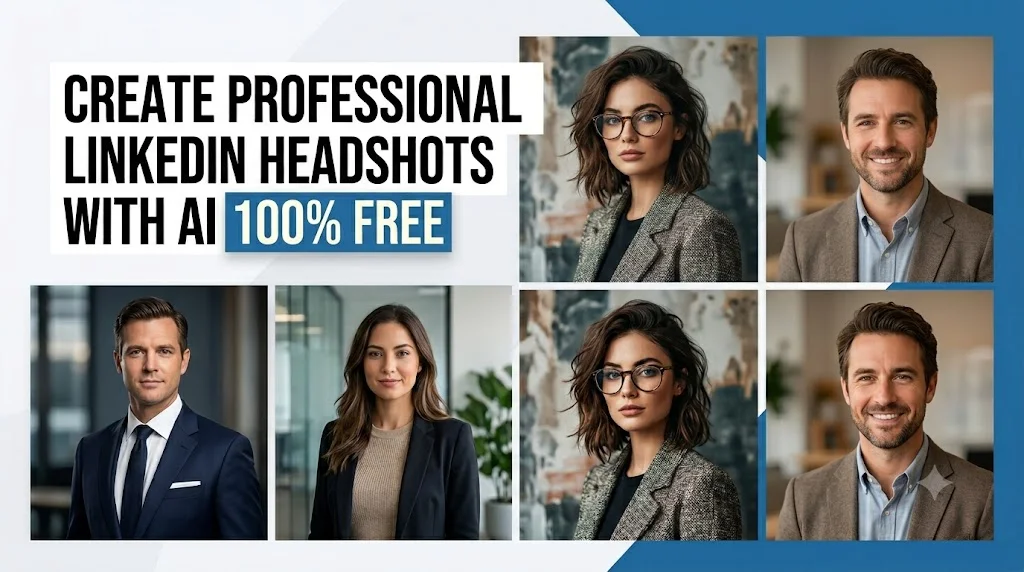
I fixed it that evening using Gemini AI and a phone selfie. No photographer. No studio. No cost. The result looked like I had paid several hundred dollars for a professional headshot session — clean background, sharp editorial lighting, polished professional attire. I updated my LinkedIn profile that night and within two weeks I had three new recruiter messages that specifically mentioned my profile.
This is not a small thing. Your LinkedIn headshot is the first professional impression you make on every recruiter, hiring manager, potential client, and business contact who finds your profile. Studies consistently show that profiles with professional headshots get dramatically more profile views, more connection requests, and more recruiter messages than profiles with casual or missing photos. You are leaving real career opportunities on the table if your photo isn’t doing its job.
These four prompts give you everything you need to fix that — today, for free, using nothing but a photo on your phone and Gemini AI.
Why Your LinkedIn Photo Matters More Than You Think
LinkedIn is not Instagram. People are not scrolling it for beautiful imagery. They are evaluating people quickly — making split-second judgments about whether to click a profile, reach out, or move on. Your headshot is doing enormous work in that split second.
A professional headshot communicates competence, confidence, and seriousness before a single word of your profile is read. It signals that you take your professional image seriously — which implies you take your work seriously. A blurry selfie, a casual party photo, or a heavily filtered Instagram-style image signals the opposite, whether that is fair or not.
The good news is that what makes a LinkedIn headshot look professional is actually very specific and very achievable with AI. Clean, neutral background. Soft directional lighting that flatters the face. Professional attire appropriate to your industry. A composed, confident, approachable expression. Those four elements are exactly what these prompts are designed to deliver.
What Photo to Use and How to Prepare It
Go to gemini.google.com and confirm you’re using Gemini 2.0 Flash or higher, which supports image generation. Upload your photo before pasting any prompt.
Here is what makes a good source photo for LinkedIn headshot generation — and this part matters more than people expect:
Face size in the frame. Your face should fill at least 60 to 70 percent of the image. A full-body photo or a photo where you’re far from the camera will not produce a usable headshot. Crop tightly to your face and shoulders before uploading.
Lighting quality. A photo taken near a window in natural daylight — facing the window, not with the window behind you — is ideal. Even light on your face without harsh shadows gives the AI the most to work with. Avoid flash photography, very dark indoor shots, or photos taken under harsh overhead fluorescent lighting.
Expression. A relaxed, natural expression that suggests both confidence and approachability. You do not need to be smiling broadly — a composed, calm expression with a slight natural smile reads as confident and professional. Avoid overly serious or stern expressions, which can read as unfriendly, and avoid very wide smiles, which can look forced in a formal context.
Background. The simpler your background in the source photo, the easier it is for Gemini to cleanly replace it. A plain wall, a simple outdoor setting, or a neutral indoor background all work well. A very busy or cluttered background can sometimes bleed into the generated result in subtle ways.
You do not need all four of these to be perfect. Even a decent phone selfie taken near a window produces good results with the right prompt. But the closer your source photo gets to these standards, the better the final headshot will look.
The 4 Prompts — One for Every Industry and Style
Different industries have different visual expectations for professional headshots. A software engineer’s LinkedIn photo should look different from a financial advisor’s, which should look different from a creative director’s. These four prompts are built around the most common professional style categories — pick the one that fits your field and your personal brand.
Prompt 1 — The Classic Corporate Headshot (Finance, Law, Consulting, Healthcare)
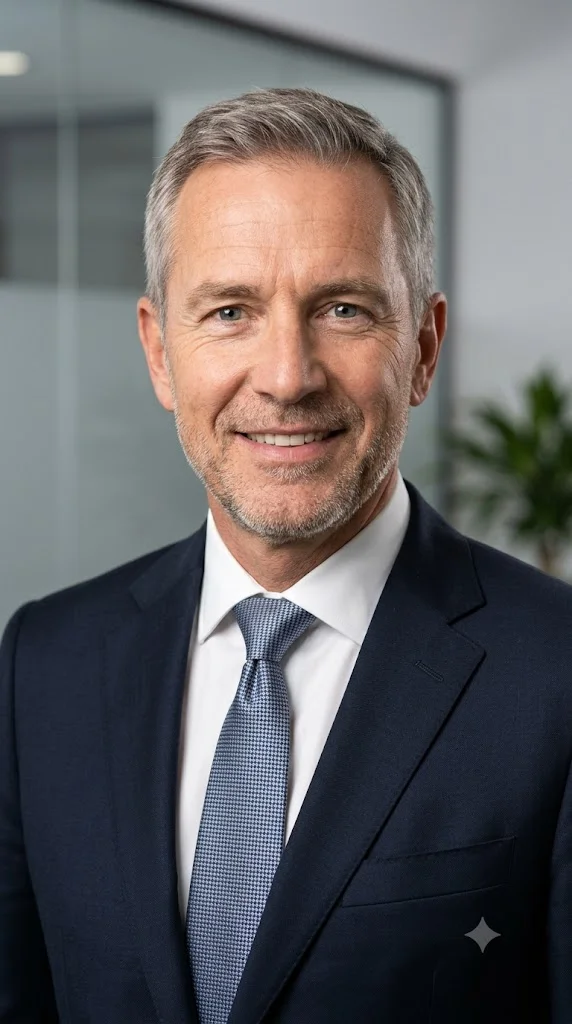
This is the most universally appropriate LinkedIn headshot style — clean, authoritative, and polished. It works across almost every industry but is particularly important in fields where clients and employers are looking for someone who projects stability, competence, and trustworthiness from first glance. If you work in finance, law, consulting, healthcare, insurance, real estate, or any corporate environment, this is your prompt.
Prompt:
I am uploading a photo of myself. Please transform this into a professional corporate LinkedIn headshot. The background should be a clean, neutral tone — a soft grey, warm white, or subtle blurred office interior — nothing distracting. The lighting should be professional studio quality — soft, even, and flattering, with a gentle key light from one side and a soft fill from the other, creating slight dimension on the face without harsh shadows. Update my clothing to reflect polished corporate professional attire: a well-fitted dark suit in navy or charcoal with a crisp white or light blue dress shirt and a conservative tie for men, or a tailored blazer in a neutral tone over a professional blouse for women. The framing should be a standard professional headshot — face and shoulders centered, with the face taking up approximately two thirds of the frame. My expression should be confident, composed, and approachable — projecting competence and trustworthiness. The overall image quality should feel like it was taken by a professional corporate photographer with high-end studio lighting equipment. Preserve my real facial features from the uploaded photo. The final image should look like a polished professional headshot appropriate for a senior executive at a major corporation.
Pro tip: For the background specifically, soft grey is the single most universally professional choice for a LinkedIn headshot. It’s neutral, non-distracting, and photographs well at any size. If the first result has a background that feels too stark or too warm, follow up with: “Adjust the background to a soft, mid-tone grey — neutral, clean, and professionally appropriate.”
Prompt 2 — The Modern Tech and Startup Headshot (Tech, Engineering, Product, Marketing)
The tech and startup world has a different visual language for professional photos. Full suits and ties are rare. The look is more business casual — smart, modern, approachable, and slightly less formal than traditional corporate. Think the kind of photo you see on a Y Combinator founder page or a product team bio. Professional enough to be taken seriously, relaxed enough to signal that you are not stuck in 1995.

Prompt:
I am uploading a photo of myself. Please transform this into a professional LinkedIn headshot suited to the tech and startup industry. The background should feel modern and slightly dynamic — a softly blurred open office environment, a clean white or light grey wall, or a subtle urban exterior with natural light — professional but not overly corporate. The lighting should be bright, natural, and flattering — the kind of clean, well-lit look you get near large windows in a modern office space, with soft shadows and a fresh, energetic quality to the light. Update my clothing to smart business casual: a fitted crewneck, a clean button-down shirt without a tie, or a modern blazer over a simple tee — in neutral tones or subtle colors. No heavy suits or formal ties. The framing should be relaxed but professional — face and shoulders, centered, direct eye contact with the camera. My expression should be confident, engaged, and genuinely approachable — the expression of someone you would immediately want to work with. The overall image should feel like a high-quality photo taken by a professional photographer at a well-funded startup’s team photo shoot. Preserve my real facial features from the uploaded photo. The final image should look like a polished, modern professional headshot for a LinkedIn profile in the tech or startup space.
Pro tip: This prompt works exceptionally well for anyone job hunting in tech right now. The modern, approachable quality of the result performs better with tech recruiters and hiring managers than the stiffer corporate headshot style. If you are actively applying for roles in software, product, data, or marketing, this is the headshot that will get your profile clicked.
Prompt 3 — The Creative Professional Headshot (Design, Media, Content, Advertising)
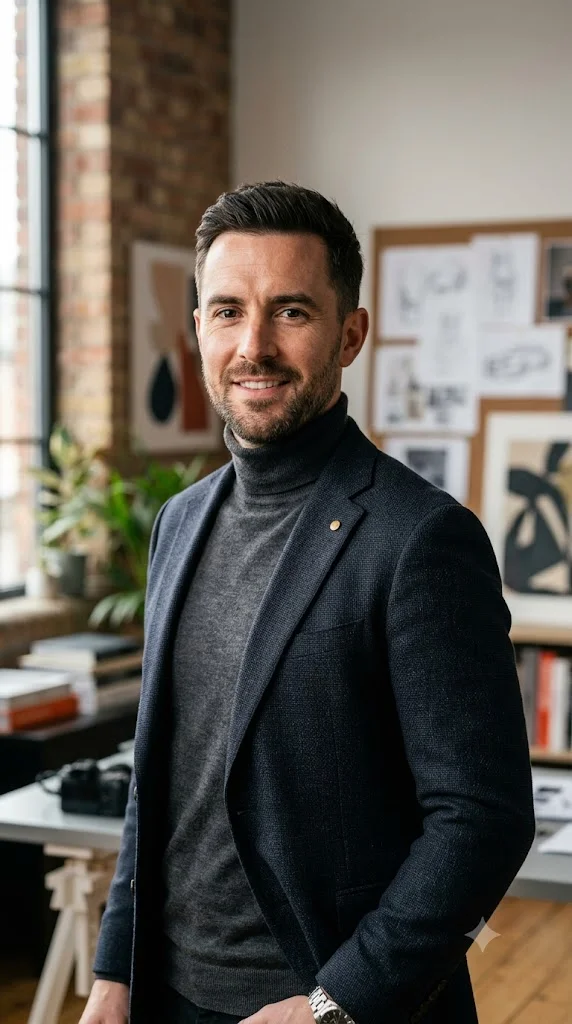
Creatives have a unique challenge with LinkedIn photos — you need to look professional enough to be taken seriously, but your headshot should also signal that you have taste, personality, and visual sensibility. A generic corporate headshot can actually work against you in creative fields by suggesting that you don’t understand visual communication. This prompt goes for that sweet spot: professional, distinctive, and visually interesting without being unprofessional.
Prompt:
I am uploading a photo of myself. Please transform this into a professional LinkedIn headshot suited to a creative industry professional — designer, art director, creative director, content creator, or media professional. The background should have a subtle visual interest without being distracting — a softly blurred urban exterior, a creative studio environment with blurred elements in the background, or a clean wall with a slight texture or color. The lighting should be editorial and flattering — slightly more directional and dramatic than a standard corporate headshot, with a clear key light creating gentle shadows that give the face character and depth. The clothing should feel stylishly professional — smart casual with a slight creative edge: a well-fitted jacket in an interesting color or texture, a clean modern top, or a thoughtfully put-together look that signals personal style within professional boundaries. The framing should be confident and slightly more dynamic — perhaps a very slight angle rather than perfectly centered, while still maintaining clear professional headshot proportions. My expression should be confident, warm, and subtly interesting — the expression of someone with both talent and personality. The overall image quality should feel like a high-end editorial portrait rather than a standard corporate photo. Preserve my real facial features from the uploaded photo. The final image should look like a professional headshot for a senior creative at a respected agency or media company.
Pro tip: The slightly more editorial quality of this prompt is also what makes it the best of the four for Pinterest traffic. Creative professional headshots are highly saved and shared in design, branding, and career content boards. If you are pinning this article, use a result from this prompt as your thumbnail — it has stronger visual appeal than the more corporate styles while still being clearly professional.
Prompt 4 — The Warm Personal Brand Headshot (Coaches, Consultants, Entrepreneurs, Speakers)
If your LinkedIn is less about finding a job and more about building a personal brand — coaching, consulting, speaking, entrepreneurship, thought leadership — your headshot needs to do something different from a corporate photo. It needs to make people feel like they already like you and trust you before they have read a word. That requires warmth, approachability, and a sense of genuine personality. This prompt is built specifically for that purpose.

Prompt:
I am uploading a photo of myself. Please transform this into a warm, professional LinkedIn headshot suited to a personal brand builder — coach, consultant, entrepreneur, or public speaker. The background should feel inviting and suggest success without being cold — a warmly lit indoor setting with soft bokeh depth, a beautifully blurred exterior with warm natural light, or a clean bright setting with a slightly warm tone. The lighting should be warm, soft, and genuinely flattering — golden and natural, making the skin tones glow and the overall image feel positive and energizing. The clothing should be polished but personable — a smart blazer over a clean shirt or blouse, in colors that are warm and professional rather than cold and formal. Navy, warm grey, deep green, or burgundy all work well. The framing should be open and inviting — face, shoulders, and a hint of upper body, with the subject positioned slightly off-center to create a dynamic, engaging composition. My expression should be genuinely warm, confident, and directly engaging — the expression of someone who is both accomplished and easy to talk to, someone you would immediately feel comfortable approaching. The overall image should radiate trustworthiness and approachability. Preserve my real facial features from the uploaded photo. The final image should look like a high-quality personal brand headshot taken by a photographer who specializes in helping entrepreneurs and coaches build a compelling visual presence.
Pro tip: The warm tone and genuine approachability of this prompt make it the best choice for anyone whose LinkedIn goal is inbound connection rather than outbound job hunting. If you want people to reach out to you — for speaking, for consulting, for partnerships — this headshot style communicates the warmth and authority that makes that happen. It also performs beautifully as a Pinterest image in career advice, personal branding, and entrepreneurship boards.
Common Problems and How to Fix Them
The most common issue people run into with AI LinkedIn headshots is the result looking slightly too polished or slightly too altered — skin that looks airbrushed, features that look subtly different, or an overall quality that reads as generated rather than photographed. This usually happens when the source photo is low resolution, heavily filtered, or has very poor lighting.
The fix is to add this line to any of the prompts above: “The final image should look like a genuine photograph taken with a professional camera — not digitally illustrated or AI-generated. Preserve natural skin texture, realistic hair detail, and authentic photographic quality throughout.” That instruction pulls the result back toward photographic realism significantly.
The second most common issue is clothing that doesn’t match the industry. If you work in a creative field but use the corporate prompt, or vice versa, the result will feel off even if it looks technically good. Spend thirty seconds thinking about what your most successful peers actually wear in their LinkedIn photos — then pick the prompt that matches that standard, not the one that looks the most impressive in isolation.
And finally — expression matters enormously. If the expression in the result looks stiff, blank, or slightly off, follow up with: “Adjust the expression to look more natural and genuinely confident — relaxed jaw, soft eyes, a slight natural smile that reaches the eyes without looking forced.” A warm, authentic expression is what separates a good headshot from a great one.
How to Use Your New Headshot Beyond LinkedIn
Once you have a headshot you are genuinely proud of, use it everywhere — not just LinkedIn. Consistency across your professional presence builds recognition and trust in a way that most people seriously underestimate.
Your email signature. A professional photo in your email signature makes your messages feel more personal and trustworthy. Tools like HubSpot Email Signature Generator and Wisestamp make it easy to add a headshot to every email you send.
Your company website bio. If your company has a team page and your photo is the worst one on it — or missing entirely — that is noticed by every client and prospect who visits. Update it.
Speaker and conference bios. Event organizers always ask for a professional headshot. Having one ready — a genuinely good one — makes you look more credible as a speaker and more likely to be selected.
Guest posts and bylines. If you write articles, contribute to publications, or do podcast appearances, your headshot appears next to your name. A polished photo makes your byline look authoritative. A casual photo makes it look like you are not taking the opportunity seriously.
Twitter and X, GitHub, Substack, and any other professional platform. Update them all at once while you are at it. Thirty minutes of updating now will pay dividends for years.
This is One of the Highest-Return Things You Can Do for Your Career Today
I am not being dramatic when I say that updating my LinkedIn headshot changed the trajectory of several professional opportunities over the following months. The recruiter who mentioned my old photo? I got the job. Three others reached out unprompted within weeks of the update. A speaking invitation came from someone who said they found my profile and thought I looked credible.
None of that happened in the four years when my profile photo was a blurry party crop. All of it happened in the months after I spent one evening fixing it with a free AI tool and a phone selfie.
The prompts above are free. Gemini is free. The only thing this costs you is twenty minutes tonight. That is a genuinely absurd return on investment for something that will represent you professionally every single day for the next several years.
Pick your prompt, upload your photo, and finally have the LinkedIn headshot your career deserves. Drop your before and after in the comments — I want to see the upgrade.