How to Turn Your Couple Photos Into Stunning 90s Retro Film Shots Using AI
My girlfriend and I were going through old photo albums at her mom’s place last Thanksgiving. There was this one photo of her parents — taken sometime in the early 90s — standing outside a diner somewhere in Ohio. Grainy film, warm faded colors, that beautiful soft blur in the background. We both looked at it and said the same thing at the same time: why do photos from that era just feel so much more romantic?
That one moment sent me down a rabbit hole. I started experimenting with AI tools to recreate that exact feeling using our own photos. After a lot of trial and error — and some genuinely terrible results along the way — I finally cracked a method that actually works. And honestly, the results blew us both away.
If you have a couple photo you love, or even two separate photos of you and your partner, you can use Google’s Gemini AI to transform them into something that looks like it was shot on a 35mm camera in 1993. No Photoshop skills needed. No expensive editing software. Just the right prompts.
Here’s exactly how to do it.
Why the 90s Film Aesthetic Hits Different
There’s a reason this style is everywhere right now. The 90s film look has a warmth and imperfection that modern digital photos just don’t have. Film grain, slightly blown-out highlights, those faded orange and brown tones — they make every photo feel like a memory worth keeping.
Today’s smartphone cameras are technically perfect. Crisp, sharp, color-accurate. But perfect isn’t always beautiful. There’s something about a photo that looks a little worn, a little soft, a little human — that makes you feel something. That’s what we’re going for here.
What You Need Before You Start
You need two things: a Google account to access Gemini, and photos of you and your partner. The photos don’t need to be fancy. A clear selfie works fine. The main thing is that your face is visible and well-lit. Avoid heavily filtered photos or ones where your face is partially covered — Gemini needs a clean reference to work from.
Go to gemini.google.com and make sure you’re using Gemini 2.0 Flash or higher, which supports image generation. You’ll see the option to upload images directly in the chat. Upload both photos — yours and your partner’s — and then paste one of the prompts below.
The 4 Prompts — Each One Gets You a Different 90s Vibe
These aren’t generic one-liners. Each prompt is written to pull a specific look from the 90s era. Try them one by one and see which result you love most.
Prompt 1 — The Classic 35mm Film Portrait
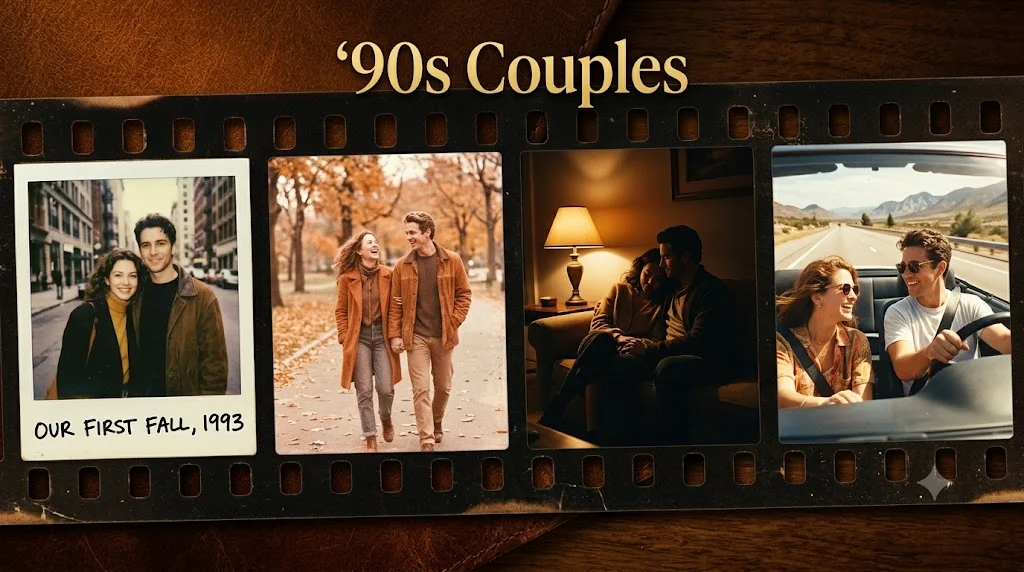
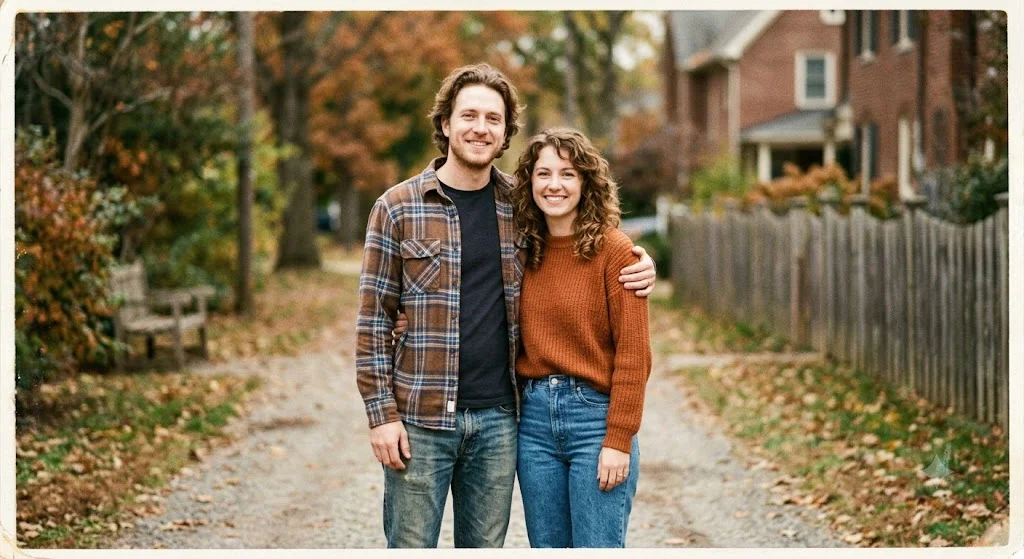
This is the one that started it all for me. It goes for that warm, slightly imperfect look you’d get from a disposable camera or a basic point-and-shoot from the early 90s. The kind of photo your parents have framed somewhere in the hallway.
Prompt:
I am uploading two separate photos — one of me and one of my partner. Please combine us into a single couple portrait in a 1990s retro film photography style. Apply the following: warm faded film grain texture, slightly overexposed highlights, desaturated color palette with soft oranges and browns, a subtle vintage photo border, and a soft bokeh background. The couple should look naturally posed together, either facing each other or looking at the camera. The image should feel like it was taken with a 35mm film camera in the early 90s. Preserve both of our facial features accurately from the uploaded photos.
Pro tip: If the faces don’t look quite right on the first try, add this line at the end of the prompt: “Pay close attention to preserving the exact facial features from both uploaded reference photos.” That usually tightens things up.
Prompt 2 — The Summer Road Trip Shot
Think: couple pulled over on a highway somewhere in the American Southwest. Sun beating down, a beat-up car in the background, squinting into the light. This prompt gives you that candid, unposed energy that made 90s road trip photos so iconic.
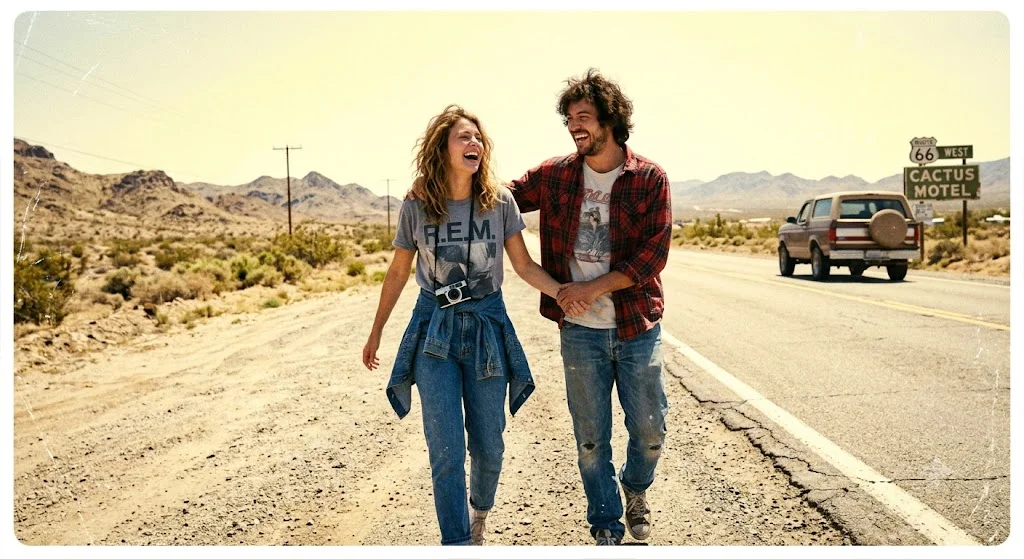
Prompt:
I am uploading two photos — one of me and one of my partner. Please create a combined couple image styled as a candid 90s road trip photograph. The setting should suggest a sunny outdoor location — a roadside, open field, or desert highway. Use high contrast sunlight, blown-out sky, heavy film grain, faded warm tones with slightly yellowish highlights, and a candid unposed look as if someone just snapped the photo mid-laugh. Clothes can be updated to casual 90s style — jeans, t-shirts, flannel. Preserve our real faces from the uploaded photos. The result should feel authentic and nostalgic, not staged.
Pro tip: This one works especially well with outdoor photos where there’s already some natural light on your face. It gives Gemini more to work with when replicating that harsh-sun 90s outdoor look.
Prompt 3 — The Moody Indoor Film Look
Not all 90s photos were bright and sunny. Some of the most emotional ones were taken indoors — dim lamps, late nights, shadows doing most of the work. This prompt goes for that slower, more intimate feeling. Think: a photo taken at 11pm in someone’s apartment.
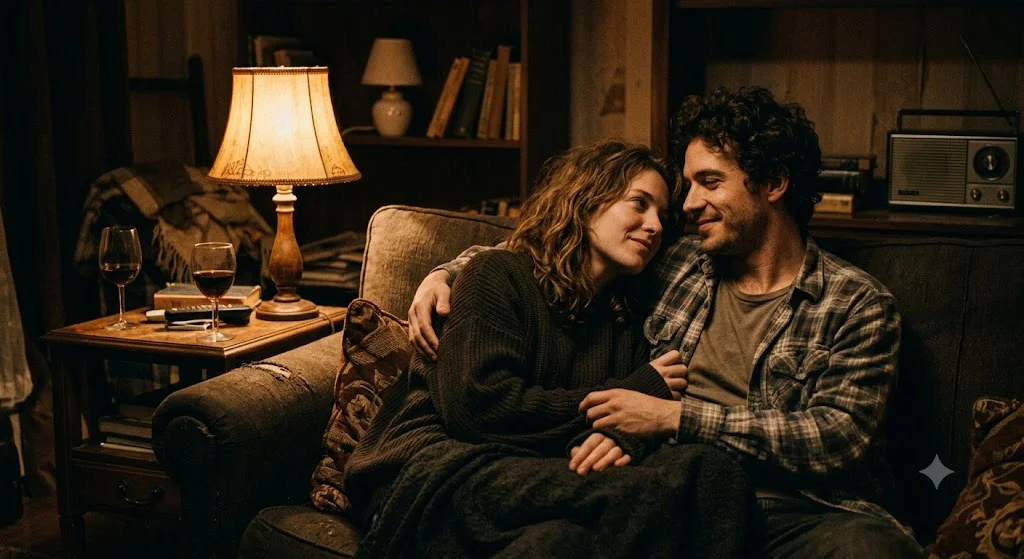
Prompt:
I’m uploading two photos — one of me and one of my partner. Please combine us into a single couple portrait with a moody 1990s indoor film aesthetic. The setting should feel intimate — soft warm lamplight, deep shadows, slightly underexposed with visible grain, muted color palette leaning toward amber and deep brown tones. The couple should appear close together, relaxed and comfortable — not posing for the camera. Think of it as a quiet candid moment, like a photo taken by a friend late at night. Use our real faces from the uploaded photos. The final image should feel tender and cinematic, like a still from a 90s indie film.
Pro tip: This prompt pairs perfectly with a Pinterest pin that has a dark, moody thumbnail. It tends to perform really well with late-night scrollers.
Prompt 4 — The Vintage Polaroid Moment
Polaroids were everywhere in the 90s. That square format, the thick white border, the colors that were never quite accurate — there’s something deeply personal about them. This prompt recreates that Polaroid feeling but with your faces front and center.
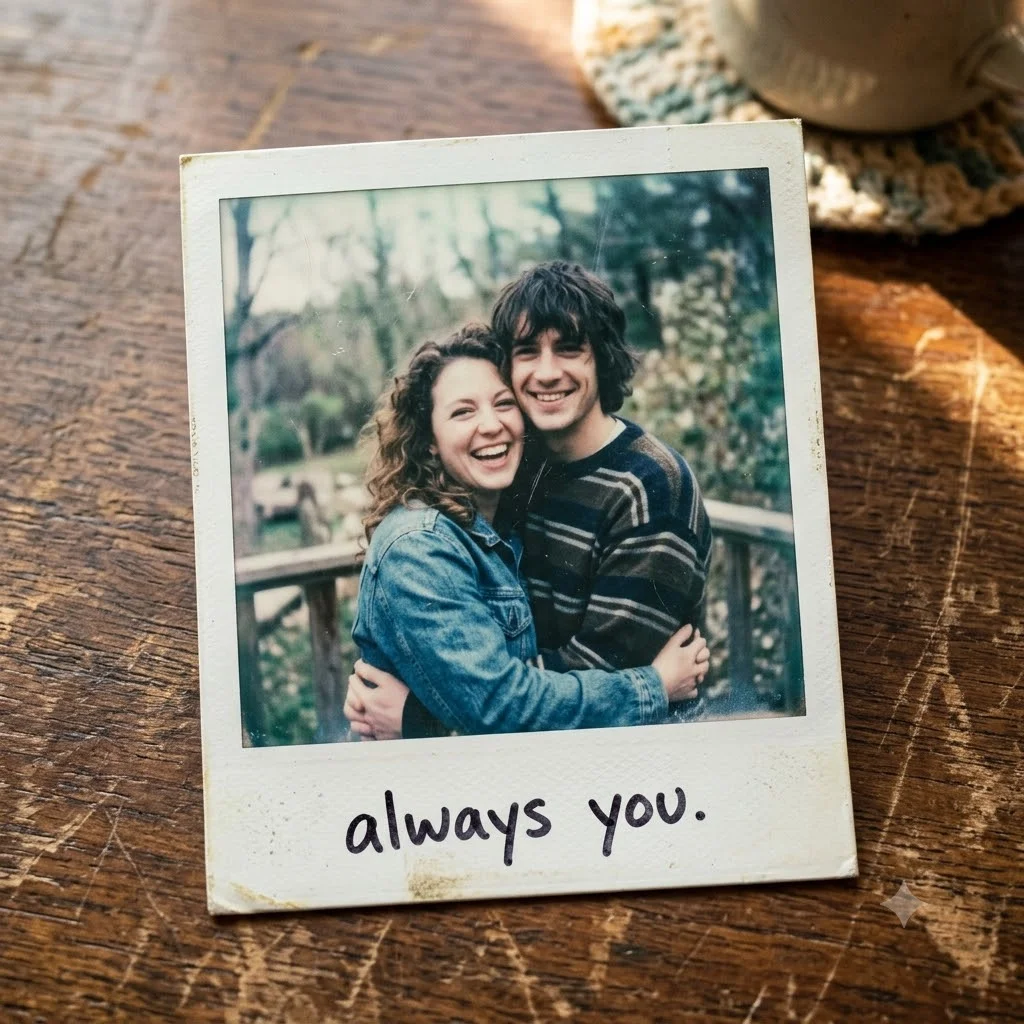
Prompt:
I am uploading two photos — one of me and one of my partner. Please create a combined couple photo styled as a vintage 1990s Polaroid instant photograph. Include the classic Polaroid format: square image with a thick white border at the bottom, slightly off-color tones with a cool bluish-green tint and faded whites, soft vignette around the edges, light scratches or texture on the surface. The couple should appear natural and close together — smiling or in a candid moment. At the bottom of the white Polaroid border, add a small handwritten-style caption that says “always you.” Use our real faces from the uploaded photos.
Pro tip: The handwritten caption detail makes this one extra shareable. People love that personal touch. You can change “always you” to any short phrase — a date, a nickname, a place — and it completely changes the feel of the final image.
Mistakes I Made (So You Don’t Have To)
The first time I tried this, I uploaded a photo where my face was half in shadow and my partner’s was taken in bright outdoor light. The result looked off — one face looked natural and the other looked pasted in. Lesson learned: use photos where both faces have similar lighting conditions. It makes a huge difference.
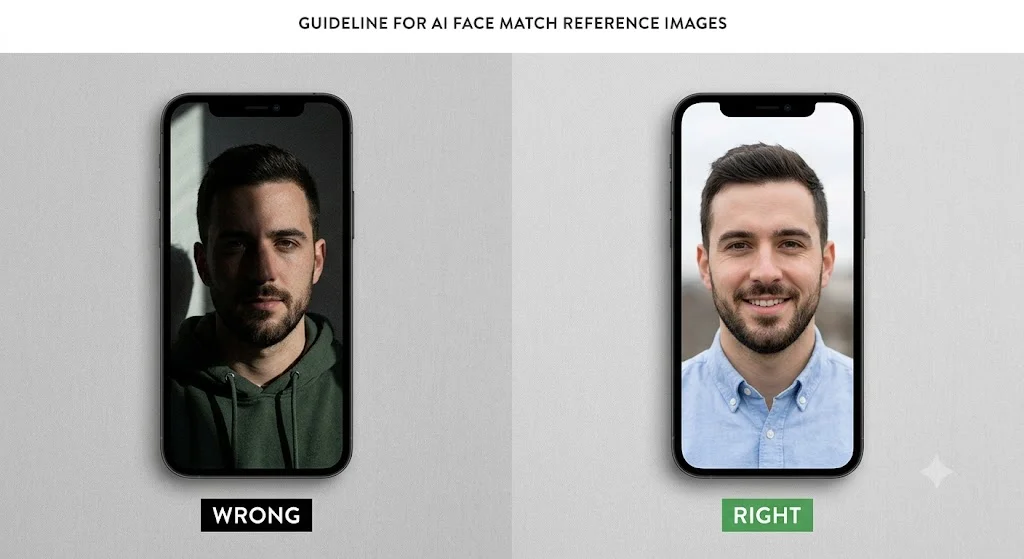
I also made the mistake of using a photo where I was wearing sunglasses. Gemini had no idea what my eyes looked like and just guessed. The output was… not great. Always use photos where your full face is clearly visible.
One more thing — if you don’t love the first result, don’t just give up. Type “try again but make the film grain heavier and the tones warmer” and Gemini will iterate. Usually by the second or third attempt you get something really special.
What to Do With Your Photos Once You Have Them
Download the generated image directly from Gemini — right-click and save, or use the download button if it appears. From there, the options are wide open.
A lot of people are printing these out and framing them. There’s something really special about having a photo that looks decades old but is actually of you and your partner right now. Sites like Printful or Walmart Photo let you print a high quality version for just a few dollars.
Others are using them as phone wallpapers, sharing them on Instagram with a nostalgic caption, or even having them printed on canvas as anniversary gifts. However you use it — it’s going to feel way more meaningful than any standard digital photo.
One Last Thing
We take hundreds of photos every year but rarely stop to make them feel like something worth holding onto. These prompts are a way to take a simple photo of you and the person you love and turn it into something that looks like a real memory — the kind you find tucked inside a box in your parents’ attic decades later.
Try all four prompts and see which vibe feels most like you. And if one of them produces something you absolutely love, I’d genuinely enjoy seeing it — drop it in the comments below.