Grok AI – Create Stunning Videos from photos with AI
Introduction
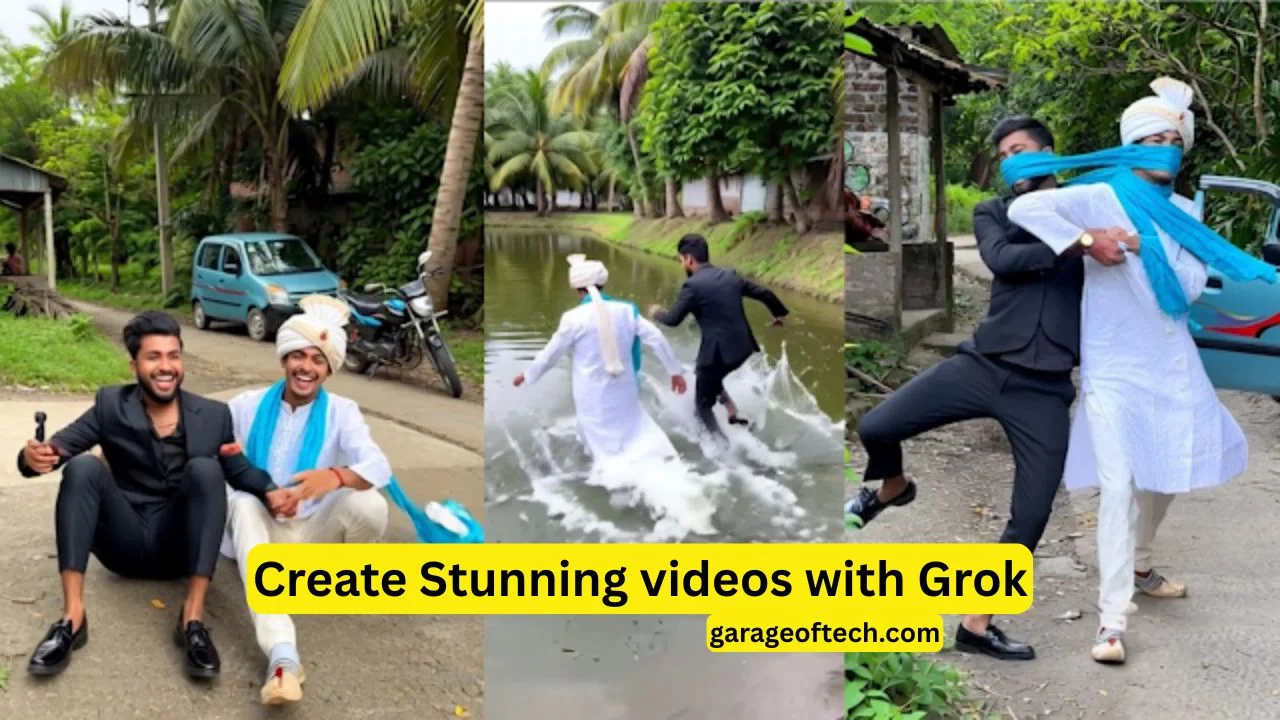
Nowadays, living in the digital world, it has become our day-to-day habit to take photos. Every day, we click on some moments, but most of those photos stay only in the phone, and they don’t make it to our eyes again or make the real emotions aware once more. But what if those ordinary photos could turn into beautiful, emotional, and musical videos automatically? That is exactly what the “Grok AI – Creating Videos from Your Photos” app makes possible. It uses modern artificial intelligence to transform simple still images into impressive video stories that look professional and cinematic.
This blog explains how this app works, what features it offers, and why it stands apart from any other type of app that offers video creation.
What is Grok AI?
Grok AI is an intelligent video creation application powered by AI. It converts a few images into complete video clips with transitions, effects, filters, and background music. It requires no editing knowledge whatsoever. You only need to select the images, and the application will produce videos that are suitable for TikTok, Instagram Reels, YouTube Shorts, among others.
The application analyzes each photo and selects the best design style, motion, and mood for the final output. It saves time while offering quality that is usually achieved with advanced video editing software.
Special Features of Grok AI
Fully Automated Video Creation
The main strength of Grok AI is that it’s fully automated. You don’t need to arrange photos manually, trim clips, choose transitions, or edit anything. Once you have selected the photos, the app will automatically complete the whole project. It is a fast, convenient, and effortless video creation method, especially for beginners.
Smart Transitions and Dynamic Effects
Smooth transitions require skill and time while editing videos manually. Grok AI relieves you from this hassle. It analyzes the colors, backgrounds, and poses within the images and applies transitions accordingly. The output, hence, will be professional, cinematic, and very visually appealing. Viewers see movement, motion, and flow that connect the images naturally.
Ready-Made Templates for Every Occasion
Grok AI features a large library of professionally pre-designed templates. These templates address many themes, including:
- Birthdays
- Weddings
- Family memories
- Baby photos
- Travel moments
- Collages
- Friendship
- Special celebrations
If you are in a hurry to get your video, just select a template, insert some photos, and you’re done in just seconds!
Automatic Music Sync
The right background music can make any video more emotional and powerful. Grok AI picks music that fits the tone and style of your photos. The transitions and image movements also are in sync with the music beats. That provides a rhythmic and polished touch to the video without need for any additional editing skills.
High Quality Video Export
Many mobile editing apps reduce video quality during export. Grok AI avoids this issue and supports exports at 1080p or higher quality. This makes the videos suitable for posting on social media or even sharing on large screens.
Easy-to-use Interface
The interface of the app is simple and very beginner-friendly. Even a person who has never edited anything can compose a complete video in several taps. There is no complicated learning curve, and the results are impressive.
Who should use Grok AI?
Consonants, Vowels and Diphthongs
Those individuals who post content consistently to TikTok, Instagram Reels, and YouTube Shorts can generate new content at a high speed, without having to invest many hours in video editing.
Video Travelers & Vloggers
Photos clicked during traveling can be converted into memorable travel diaries. The app can merge several images into a beautiful montage that speaks volumes about the journey.
Families
Parents can gather baby photos, school events, family celebrations, or vacation images and turn them into emotional keepsake videos.
Beginners
Anyone without editing knowledge can also develop professional-quality videos through the automated AI system.
What Makes Grok AI Different?
Among the several video creation apps available in the market, most require users to manually select transitions, effects, and music. Users need to invest time in adjusting settings and arranging the timeline. Grok AI saves this effort for you. It’s fully automated; you just provide the photos, and the rest is taken care of by the app.
Besides, the visual quality and stylized effects are higher and feel more refined when compared with average editing applications. The final product looks like a video created by an experienced editor, even though no manual editing is done.
How to Use Grok AI
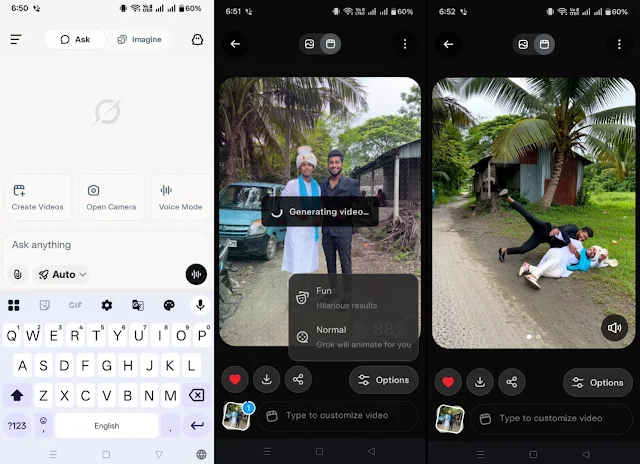
Using the app is pretty straightforward. The entire process is finished in a few simple steps:
- Open the app and choose “Create Video.”
- Select photos from your device’s gallery.
- Choose a template and music if you want it in a different style.
- Let the AI process the video.
- Download or share the final result.
Conclusion
The app is designed to give instant results, without long setup and manual adjustments. Final Thoughts The “Grok AI – Creating Videos from Your Photos” app is an intelligent and really effective way of rekindling your memories. Instead of keeping hundreds of photos locked in a phone gallery, this app helps give them a new life. You can easily create beautiful, emotional, and really engaging videos ready for online sharing. Whether you want to make daily Reels, travel montages, family memories, or special celebration videos, Grok AI is there to offer a powerful solution. Video creation isn’t a daunting task anymore, thanks to AI doing the major work for you. You choose your photos and leave the rest to the app. Grok AI is an excellent choice if looking for fast, attractive, high-quality videos without prior editing experience.